Summary
Wednesdays are usually pretty busy for me since I go to church after work and don’t get home until very near the kids bedtime so I decided to break today into 2 sessions.
Going into session 1 I had the following goals:
- Set up the “Landlord” controller
- Create the route
- Ensure the Site model works with User relationship
Work Session 1
Using php artisan again I created the SiteController controller. Not to be confused with Tenant\SiteController that I created yesterday.
| |
In SiteController I included the logic to save new sites. I called the method store and included data validation.
| |
Then I added the POST route for /sites and while I was in the file I wrapped all the routes that require authentication inside a middleware group so I didn’t have to require auth per route.
| |
As I wrapped up the first session I wanted to make sure that everything was working as expected so I decided to use my old friend tinker even though I only met her once before.
| |
Work Session 1 Recap
I created a SiteController with the logic to store a new site and created the Route to post /sites. Then I verified I was able to create a site that had a user relationship.
The commit for the first session is commit b092ebd.
–
For session 2 I had based my goals around the UI:
- Add a site from a form
- Show success and error messages
- Update the dashboard to display sites from the database
Work Session 2
The first thing I did after coming back was edit the dahsboard in resources/views/dashboard.blade.php. Laravel Breeze uses tailwind by default so that was nice to just be able to jump in and start creating the UI. I created a form that allowed users to create a new site, and below the form I added a “My Sites” section to show sites that belong to the user.
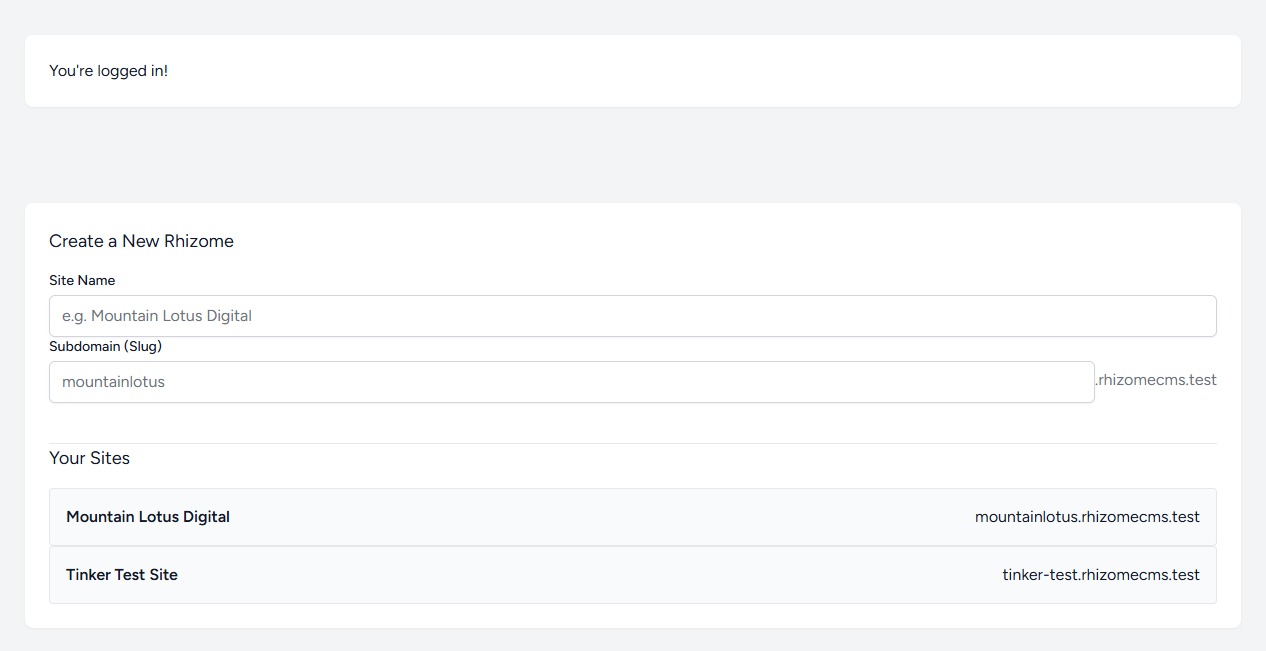
Once I verified things looked right I added success and error messages above the form.
| |
Then I created a new site and something weird happened. It worked… kind of. The success message was just black text on white without the formatting I expected. After a bit of google I found out I needed to run npm run build to get the Tailwind CSS JIT compiler to build in the green classes I hadn’t used previously. Apparently during development I could have left npm run dev going in a terminal and it would handle this on the fly for me.
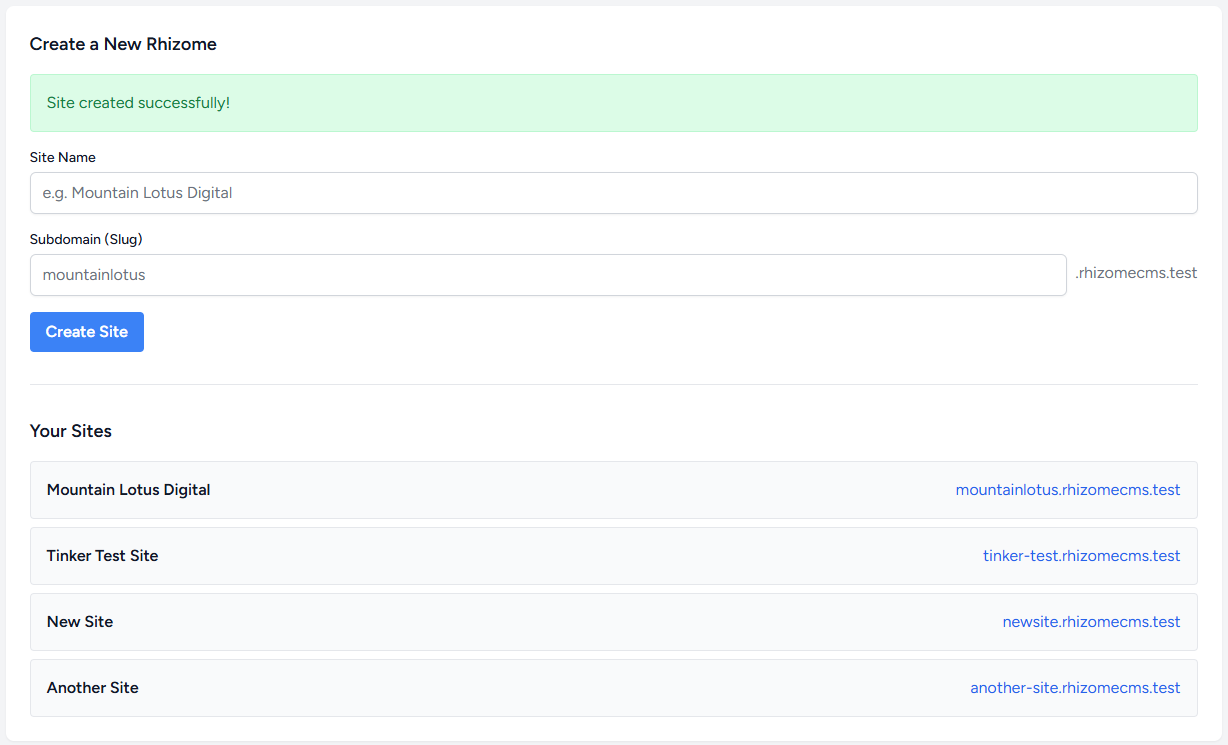
Then I clicked a link on a newly created site to make sure it was still rendering json correctly.
| |
Woo! Still works.
One last thing before wrapping up for day. I decided to make sure slugs were always url-friendly to ensure I didn’t end up with a slug that wouldn’t be able to be resolved.
Easy enough, I just needed to force slugs to lowercase and make them dash separted busing Str::slug from Illuminate\Support\Str.
| |
Recap
The second session for tonight was focused on the UI and getting a working form on the dashboard. So far working with Laravel has been really straight forward. I think my previous experience working with similar MVC or MVT frameworks like ruby-on-rails and django helps me understand the way things are working abit better.
The commit for this session is commit 4d2724a.